
I built a tiny desktop pet that actually respects your privacy — meet Kairo Lite
I have a soft spot for those old desktop pets. The little characters that wander around your screen, sit on your windows, and generally do nothing useful. Shimeji, Bonzi (minus the spyware), the dancing paperclip’s weirder cousins. They were pointless in the best way.
So I made one. It’s called Kairo Lite, it’s free, it’s open source, and it runs on macOS, Windows and Linux. Here’s the story of why it exists and what it does.

The itch
Most of my day is spent staring at a screen, forgetting to blink, forgetting to stand up, and forgetting the thing I promised myself I’d do at 3pm. I’ve tried the big productivity apps. They nag well, but they also want an account, a subscription, and a suspicious amount of information about my life.
I didn’t want any of that. I wanted a small companion on my desktop that:
- reminds me of things without me logging into anything
- nudges me to take a break now and then
- feels alive enough that I actually glance at it
That’s it. No AI, no cloud, no “we’ve updated our privacy policy” emails.
What Kairo Lite actually does
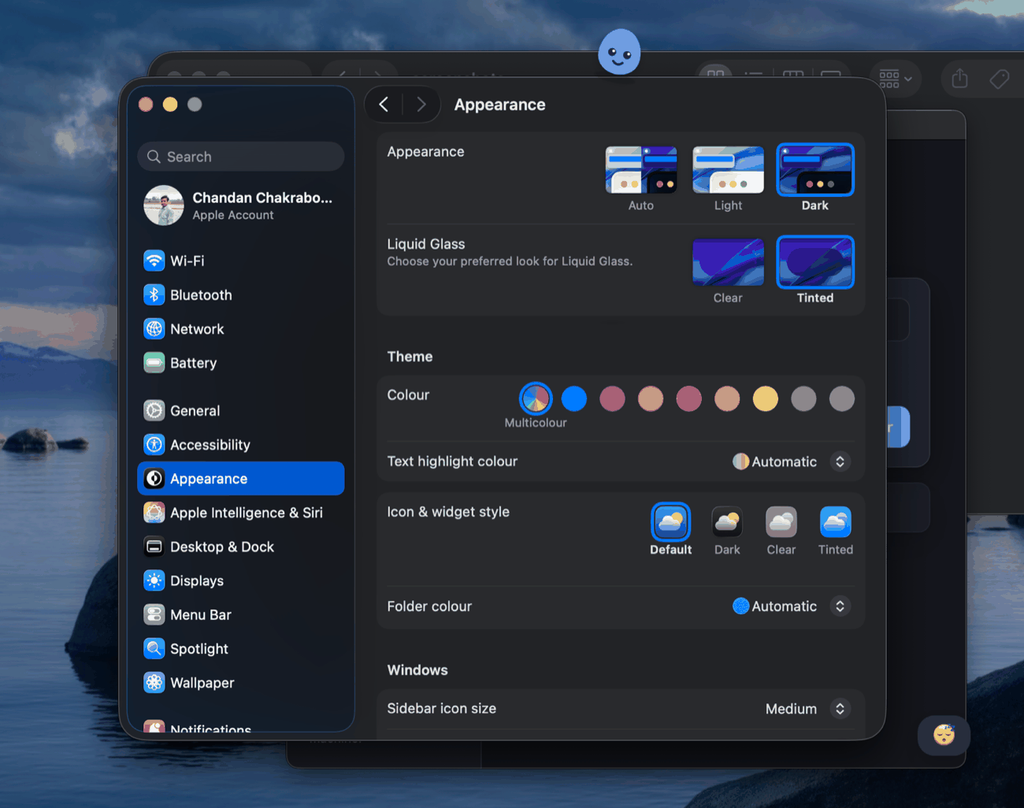
It roams your desktop. Pick a character (a few are bundled, or drop in your own PNG, GIF or SVG). It walks along the bottom of your screen under a bit of fake gravity, climbs onto the top edges of your open windows, peeks over ledges, hops between them, and — if you’re feeling cruel — can be picked up and thrown. Let go mid-drag and it gets flung, then falls and lands.
It shows reminders. Add a message and a time, pick Once or Every day. When the time comes, the character trots over and says it in a speech bubble. No notification center, no banner you’ll ignore — just the little guy telling you to your face.
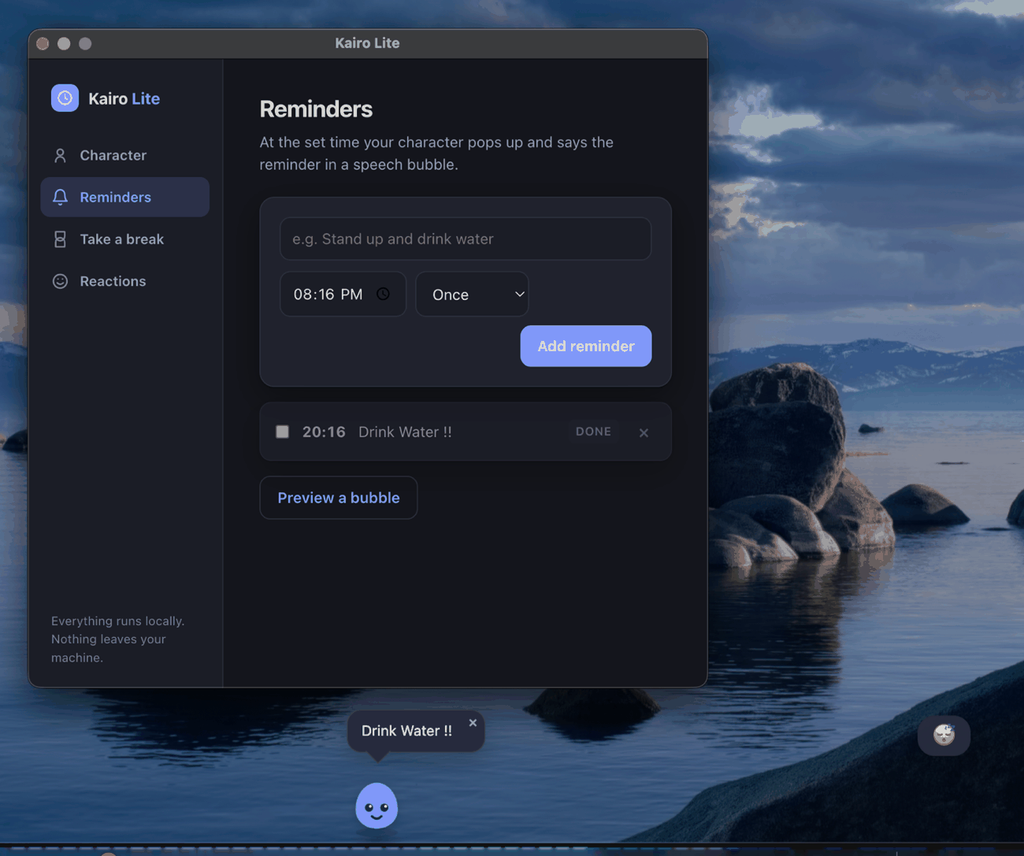
It nudges you to rest. Turn on Take a break and set an interval. Every N minutes you get a gentle “time for a break” bubble. It does not lock your screen or gray everything out. If you want to ignore it, you can. It’s a nudge, not a warden.
It reacts to your machine. This is my favorite part. Kairo Lite quietly reads a few pieces of local system state and responds:
- Go idle for a while and it dozes off. Come back and it perks up.
- Battery gets low and it looks worried.
- Peg your CPU and it gets visibly bored waiting for you.
- Finish a focus timer and it celebrates.
There’s an optional soft sound and a subtle screen tint if you want the reactions to be a little more noticeable, and a built-in focus timer (15 / 25 / 50 minutes) that lives in the tray too.
The privacy bit, because it matters
Everything Kairo Lite reads — system idle time, battery level, CPU load — is read locally and never leaves your computer. There is no backend. There is no telemetry. There is no account.
Your entire configuration lives in a single JSON file on your machine. You can open it, read it, back it up, or delete it. That’s the whole data model.
I say this plainly in the README and I’ll say it here: this is the stripped-down, open-source sibling of a bigger app I’m working on called Kairo. The “Lite” version deliberately has no AI, no voice, no screen reading. Just a character, reminders, break nudges, and ambient reactions. Some people want the small honest version, and I wanted to make sure it exists.
How it’s built (for the curious)
It’s an Electron app, which is the boring pragmatic choice for “one codebase, three operating systems.”
The character itself is just an image. All the movement — idle, walk, edge-walking, peeking, falling, landing, being dragged — is a small state machine plus some CSS keyframes. The animation loop only runs while something is actually moving; the rest of the time it sleeps, and it stops entirely when you hide the character. I didn’t want a desktop toy that quietly eats 8% of your CPU forever.
Window-walking uses a native module to read window bounds. On macOS that means no Accessibility permission prompt — it only needs the position and size of windows, nothing more. If that native bit fails to build on your machine, the app still runs fine; the character just stays on the floor and the “climb on windows” toggle switches off.
The ambient reactions come from a little watcher that polls permission-free OS state and emits events like idle, active, battery-low, cpu-busy, focus-done. Each event maps to a small reaction — an emoji, a line of text, a mood — and the character shows it in a thought bubble.
It’s MIT licensed. The code is on GitHub and contributions are welcome.
Getting it
Grab a build from the Releases page on GitHub:
- macOS — download the mac zip for your chip (Apple Silicon or Intel), unzip, drag the app to Applications. It’s unsigned, so the first time you’ll need to right-click → Open (or strip the quarantine flag from the terminal if you’re comfortable with that).
- Windows — download the portable
.exe. It’s a single file, no installer. SmartScreen may grumble about an unsigned binary — More info → Run anyway. - Linux — there’s an AppImage target.
Or if you have Node 18+ and want to run it from source:
npm install
npm start
Once it’s running, the tray icon opens the settings window (it also pops up on first launch). Switch characters, add reminders, turn on break nudges, toggle the reactions, start a focus timer. Drag the character to move it. Click it to open settings. Double-click it for a hop.
Why bother?
Honestly? Because my screen feels a little friendlier with a small creature living on it, and because I think there’s still room for software that does one modest thing, keeps its hands out of your data, and doesn’t ask you to sign up.
If that sounds good to you, go try it. And if you build a better character than the ones I shipped, send it my way.
Kairo Lite is free and open source (MIT). Built by Chandan — codedbrainy.com.